|
MATE Desktop Environment
2015/05/02 |
|
Desktop Environment is not neccessary for Server usage, though. But Sometimes installation or using an application requires GUI, then build Desktop Environment as follwos.
|
|
| [1] | Install MATE Desktop Environment. |
|
root@dlp:~#
# check boxes kile follows 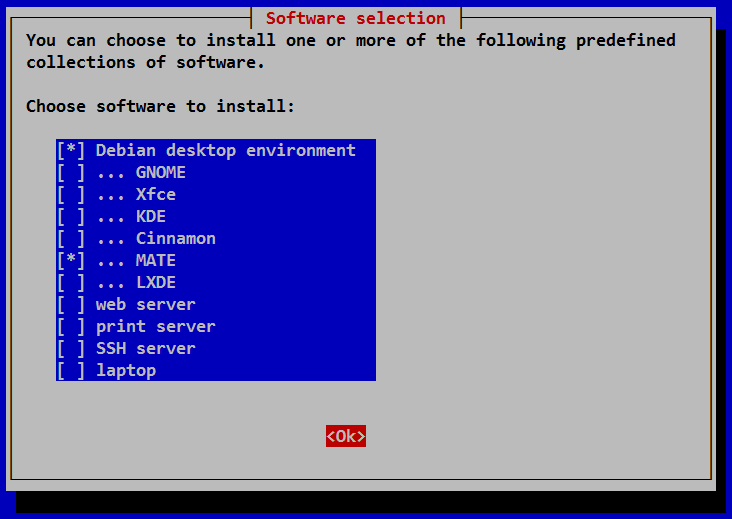 |
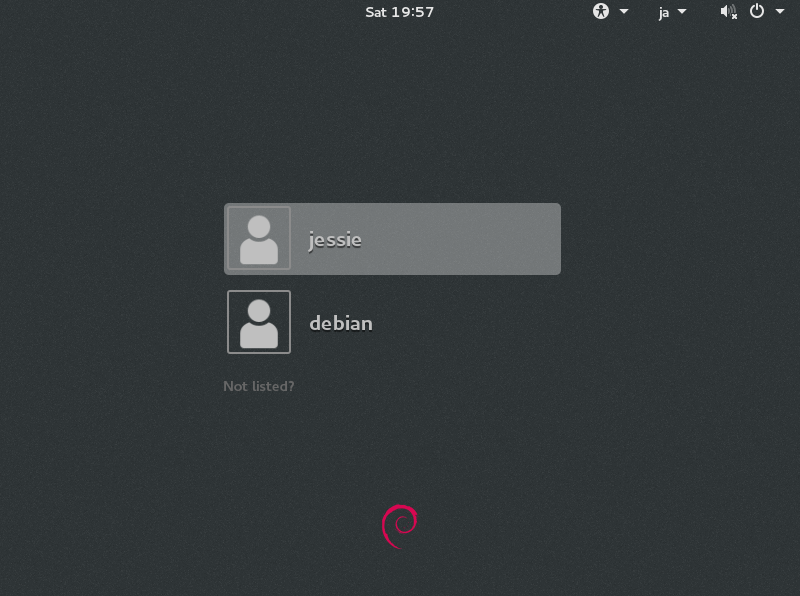
| [2] | After rebooting, select a user to login. |
|
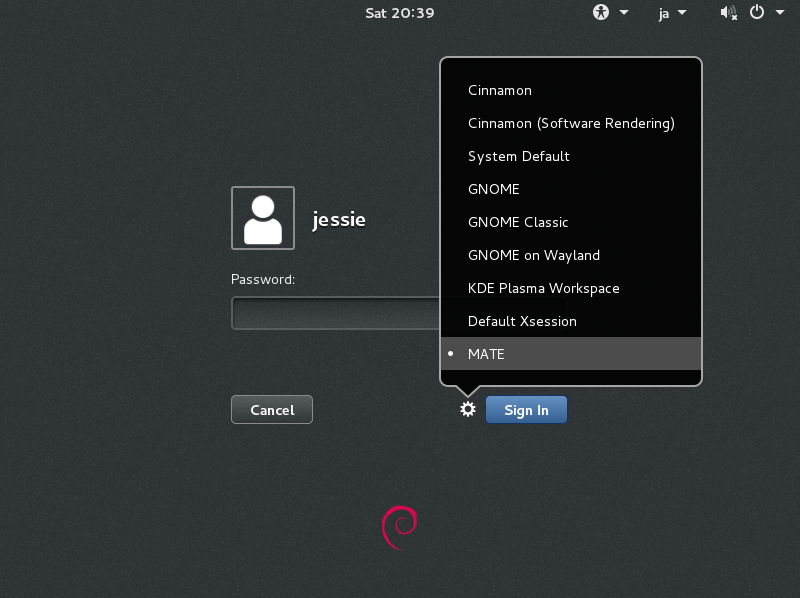
| [3] | Click the button like follows and select "MATE" and login. |
|
|
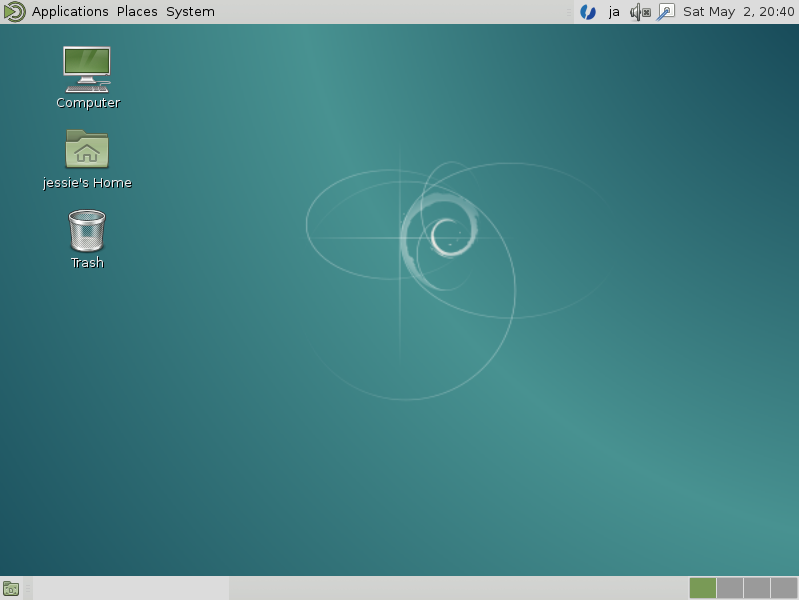
| [4] | MATE Desktop Environment starts and you can operate on GUI like Windows. |
|